Database Service in KDB-X
Preview
The KDB-X DB Service is currently in Preview, and its API interfaces may change before general availability. Feedback is welcome to preview@kx.com.
This page provides an overview of the Database Service (DB Service) in KDB-X, including its architecture, core capabilities, and supported interfaces.
The DB Service is a self-contained variation of the KDB-X tick-based architecture, with a range of built-in features exposed through a well-documented API. It provides a simple way to deploy a fully-implemented KDB-X database for capturing and querying both streaming and batch data.
It is composed of multiple services that work together to manage data ingestion, storage, and query execution. The services are KDB-X enabled versions of a kdb Insights Database:
-
Storage manager (SM). Manages data persistence across memory and disk tiers.
-
Data access process (DAPs). Database service tiers. Provide read access to real-time (RDB), intraday (IDB), and historical data (HDB).
-
Service gateway. Provides request queuing, query routing, and response aggregation.
-
Reliable transport (RT). High performance message stream for real-time data ingest.
These components enable separation of ingest, storage, and query workloads, allowing the system to scale independently across each layer.
Deployment options
The DB Service supports two deployment patterns: single-node and clustered.
| Single-node | Clustered | |
|---|---|---|
| Deployment target | Docker Compose | Kubernetes |
| Scalability | Vertical | Horizontal (sharding) |
| Data volumes | Moderate (up to ~150 GB/day) | Massive |
| Databases | Single | Multiple |
| Sharding | No | Yes |
| Table configuration | API-based | YAML config |
| Redundancy/failover | Active/active via reference architecture | Kubernetes replicas |
| Best for | Getting started, smaller deployments | Production at scale, existing Insights SDK users |
Both deployment patterns use the same underlying service images and APIs, and are available to both Community Edition and Commercial Edition users.
Single-node architecture overview
The single-node version is deployed using Docker Compose and comes with a standard configuration. As a result, it is less flexible than a custom-built KDB-X tick architecture. However, it is quick to set up and easy to run, making it a good fit for new users or for applications that don't require deep customization.
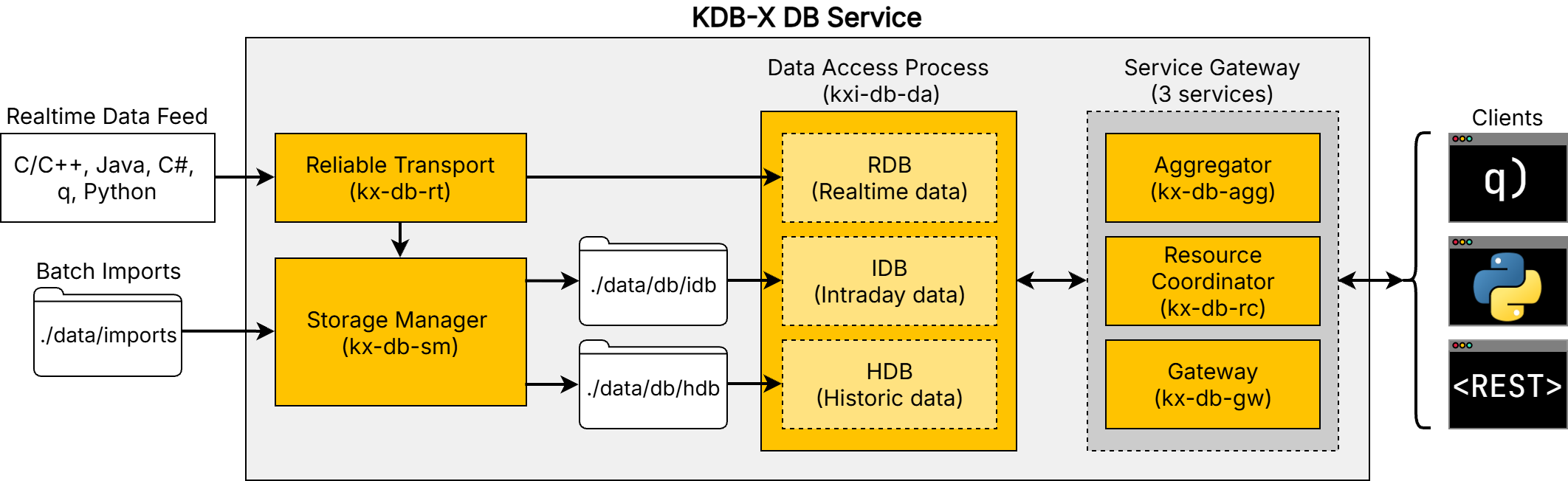
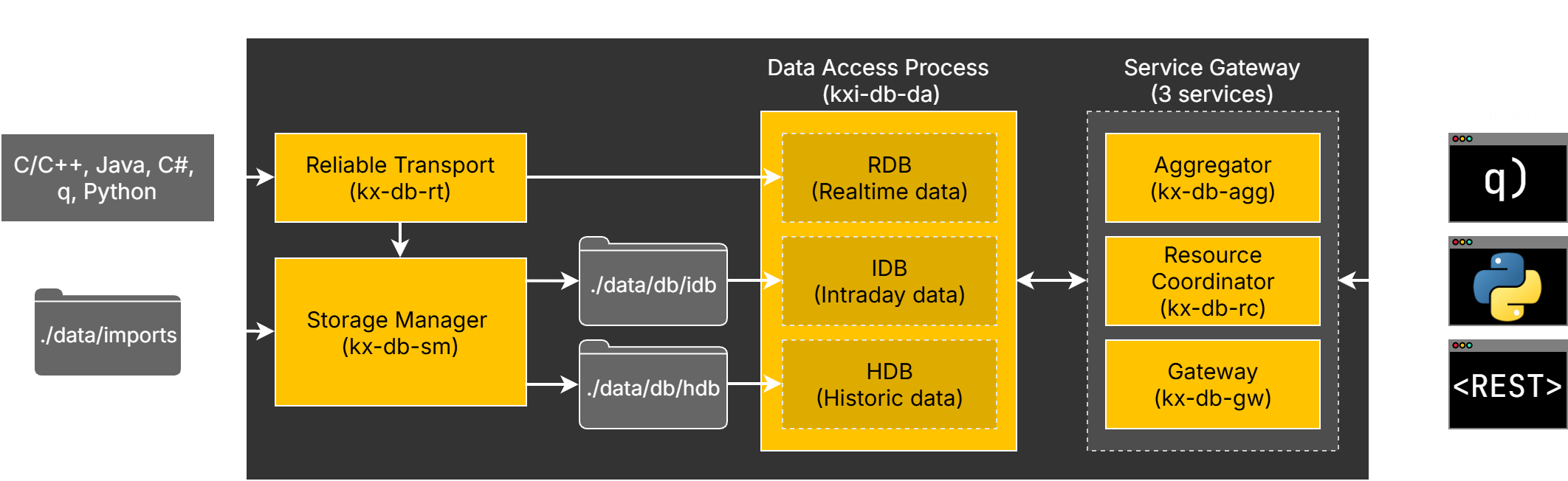
You can deploy the single-node architecture in minutes by following the quickstart guide.
Clustered architecture overview
The underlying services can be deployed in a clustered setup to Kubernetes.
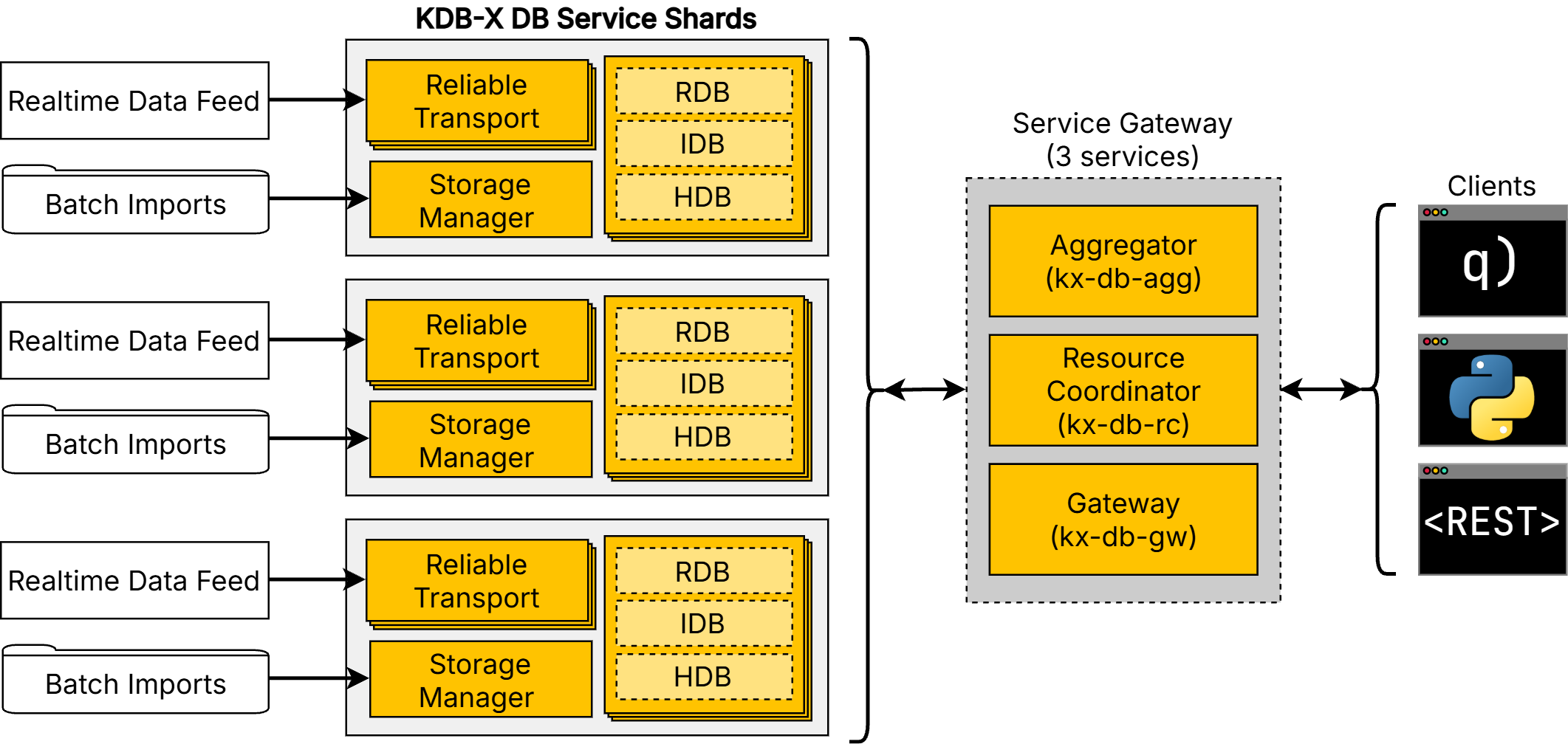
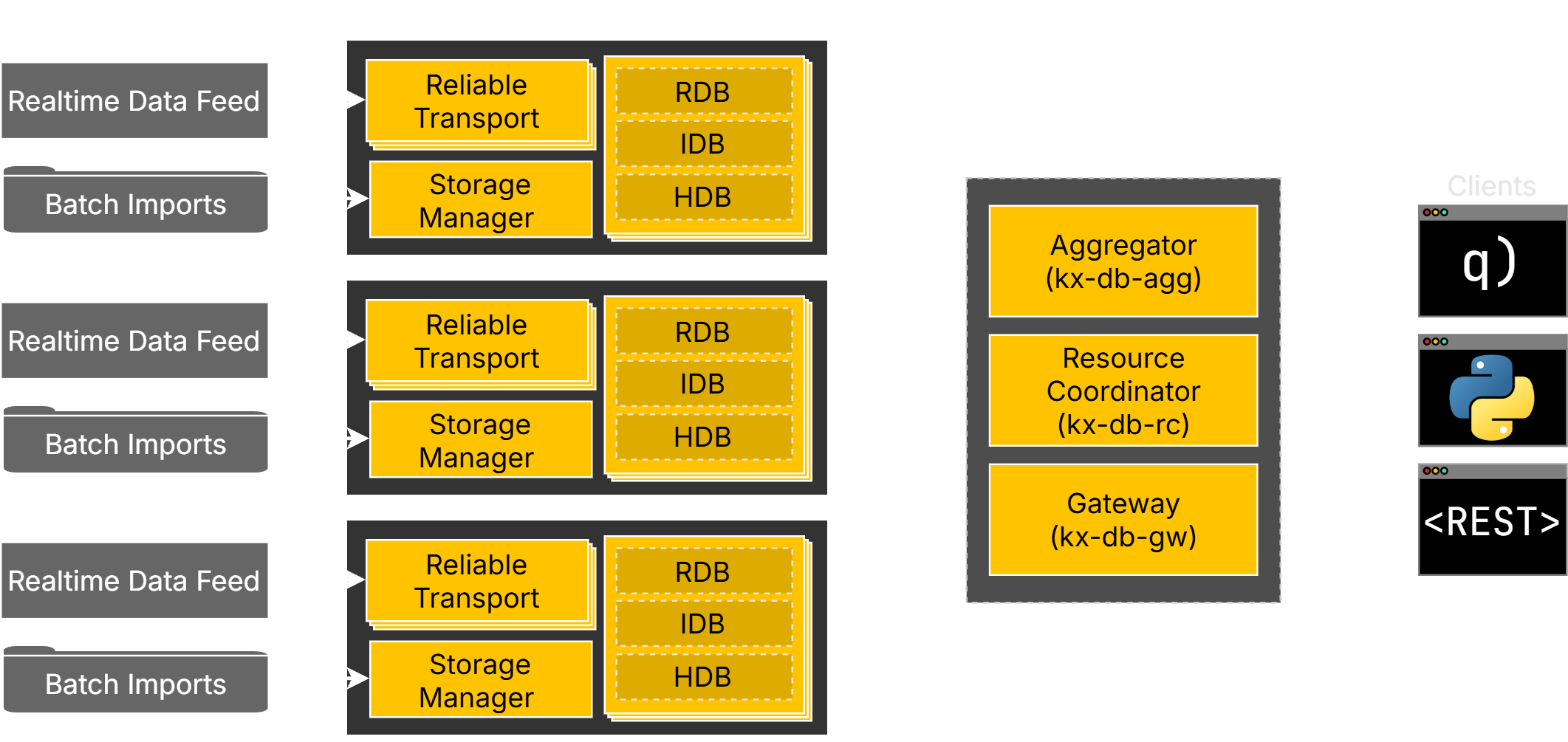
Running as a cluster offers:
- Automatic orchestration and failover by Kubernetes during node maintenance or problems.
- Triple replication of databases, offering high availability over 3 availability zones. Realtime data logs are synchronized via Reliable Transport – eliminating data drift between the replicas.
- Horizontal scalability, for a multi-database and multi-sharded application, with a common gateway to query across everything.
Clustered deployments are installed with Helm, using the sharded databases reference architecture published with the DB Service. It covers the Helm charts, the assembly YAML for each shard, and a worked multi-shard example. To deploy a cluster, follow the quickstart guide.
The sections that follow describe capabilities available in both deployment patterns. Where behavior differs between single-node and clustered — table management and storage tier configuration in particular — the difference is called out.
Data ingest
The DB Service supports multiple data import methods.
-
File import (batch). Loads data from delimited text (CSV), Parquet, or q binary files. Use this for backfills or scheduled imports from file. In single-node deployments, the target table can be created automatically from the incoming data; in clustered deployments the table must already be defined in the assembly YAML.
-
kdb database import. Ingests an existing kdb+ HDB. Use this for migrating partitioned historical data from an existing kdb+ database, or when you have complex transform needs on large datasets.
-
API data import. Allows inserting JSON or q data structures via REST or client libraries, and is suitable for small payloads, testing, or bootstrapping tables.
-
Streaming ingest (real-time). Designed for continuous, high-throughput data feeds via Reliable Transport, with publisher APIs available for C/C++, Java, q, C#, and Python.
The system includes slow subscriber protection, ensuring that downstream components do not block high-frequency ingest.
Migrating an existing kdb+ database
To migrate an existing partitioned kdb+ HDB into a new clustered deployment, use initial import instead. It registers the staged data in place using symbolic links rather than re-ingesting it, which is substantially faster for large datasets.
Data storage and tiering
The DB Service separates data across multiple storage tiers, including RDB (in-memory) for recent data, IDB (intraday write-down) for intermediate persistence, and HDB (historical) for persisted data on disk. The HDB can optionally be extended with an object storage tier — S3, Azure Blob, or GCS — for cost-effective long-term retention.
Data is automatically written down from memory to disk while remaining available for query. The system maintains full availability across end-of-day (EOD) and end-of-interval (EOI) transitions, with independent write-down processing managed by the storage manager.
The tiers are the same in both deployment patterns, but their configuration is not: in a single-node deployment tier configuration is abstracted away, with only the most basic settings exposed, while in a clustered deployment tiers are configured in the assembly YAML.
Refer to storage tiers for how data moves between tiers and how queries span them.
Table management
You can list, describe, create, and drop tables in the DB Service.
- In single-node deployments, tables are managed through the table management API.
- In clustered deployments, tables are defined in the assembly YAML, which is the authoritative configuration source. Only list and describe are available through the API. Refer to Manage Tables (Clustered).
Alongside timeseries tables, you can define reference data: keyed, non-timeseries tables linked to a timeseries table with a foreign key, so queries can read reference columns directly.
Delete data
The delete API submits a batch job that removes rows from a table, matching a filter and an optional time range, across the RDB, IDB, and HDB. Deletion is permanent, and is rejected if the time window overlaps a date held in an object storage tier.
Beta
Delete rows is currently in beta — for evaluation and trial use only.
Query
The DB Service provides four ways to query data:
- A structured query API, where queries are defined through API parameters such as table, start/end times, filters, aggregations, and more.
- SQL queries, with read-only
SELECTsupport for KDB-X SQL. - q queries, allowing free-form q to run on each data tier, with an optional aggregation function.
- Preview queries, returning a small sample of a table using minimal time and resources, for reviewing data or checking schema compatibility.
The query gateway queues and balances requests, automatically routing queries across data tiers and query replicas. Queries are unified across real-time and historical tiers, and are automatically aggregated after execution.
The system supports some horizontal scaling through replicated query nodes (DAP replicas).
Configuration
The DB Service is configured using an assembly, a YAML document defining the assembly name and labels, table schemas, stream bus settings, storage mounts, and service elements.
A deployment can be configured with more than one assembly, each with its own independent set of tables. A request always targets a single assembly, identified with the assembly parameter where more than one is configured.
You can also export an assembly configuration as a YAML document, which is useful for reviewing the current configuration or as a reference when preparing a new deployment.
Interfaces
You can interact with the DB Service using:
- The REST API, using direct HTTP requests.
- A q client, which wraps the REST API for use in q.
- A Python client, which wraps the REST API for use in Python.
These interfaces provide consistent access to ingestion, querying, and schema management operations.
You can also load custom q code into the service to serve your own API endpoints.
Next steps
- Get started with the DB Service in KDB-X
- Import data into the DB Service, and query it
- Protect your data with backup and restore
- Diagnose common problems in troubleshooting
- Check the DB Service release notes for version history and fixes