Look up monitoring tables on the dashboard
This page describes how to view your alert and log watch entries on the KXS Monitor Dashboard, and how to filter and export them.
- Open your Dashboard.
- Do one of the following:
- To look up your alert entries, click on the Alerts tab.
- To look up your log watch entries, click on the Log tab.
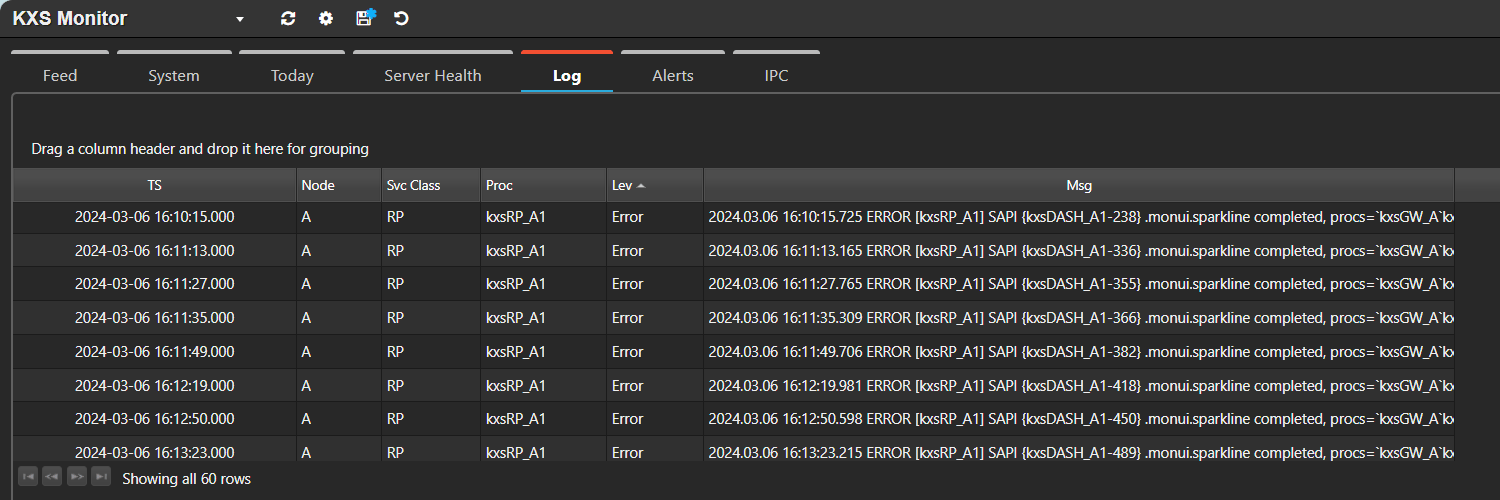
You can filter your alert and log watch entries by service class by entering your service class in the Search box and pressing Enter. If the Search box is not visible, click on Show Filters.
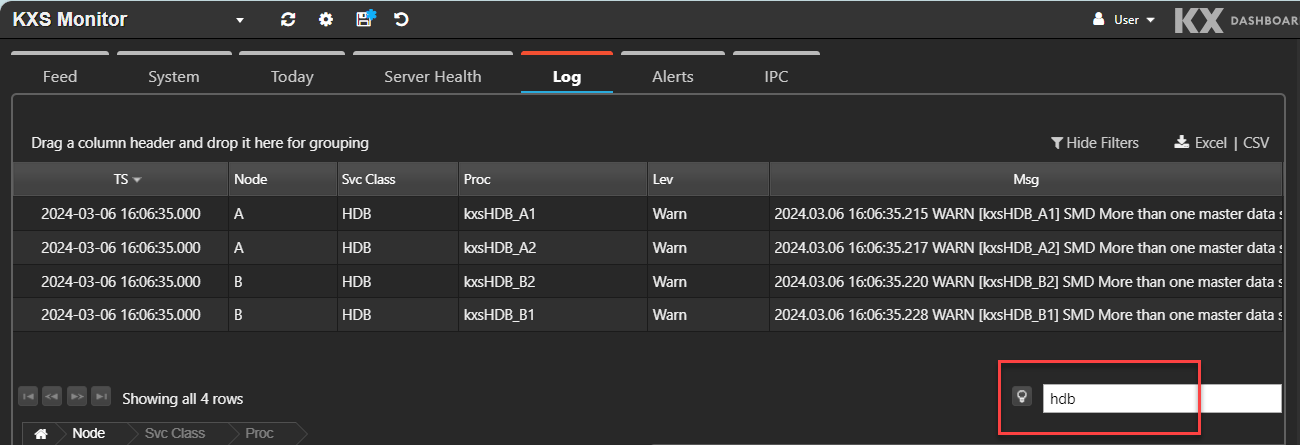
Export your alert and log entries
You can export your alert and log entries to your local drive in either Excel or CSV format.
- Click on the appropriate tab (Log or Alerts).
-
Click on either Excel or CSV.
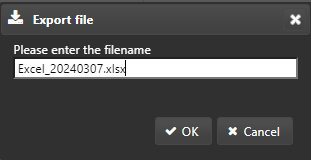
-
If required, enter a new file name.
- Click OK.
- Retrieve the exported file from your Downloads folder.