Palette
This page explains how to define and apply palette themes in KX Dashboards, including CSS-based color schemes and dynamic palette updates based on selected themes.
Palette Theme
| Field | Description |
|---|---|
| Palette Theme | Palette Themes can be set in the stylesheet properties. The Palette property dropdown is automatically populated with these themes. If the Palette property is updated, the colors in the Palettes update based on the set theme. |
Defining a Theme
To define a palette theme, add the following CSS template:
- Define the palette name — must be prefixed with
palette_, for example.palette_gradient. - Define the theme — for example
.lightor.dark. - Define the index name — for example
.color1.
Sample CSS:
.palette_gradient .light .color1 { color : #ff0000; }
Palettes
| Field | Description |
|---|---|
| Palettes | 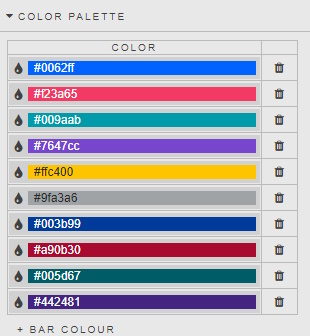 |
For color order for a pivot query or when using a regular expression for a wildcard property, the assignment of colors is done in the order of the Data.