Deployment
This page explains how to deploy and register custom components to your Dashboards installation.
Components must be hosted on a web server accessible to your users and can be added to your KX Dashboards installation.
Deploy a Custom Component
-
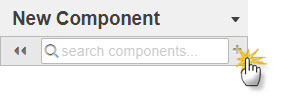
Click + beside the search box at the top of the Component Listing.
-
The Add Widget dialog opens.
-
Add the details for the component listing and define where the component is hosted.
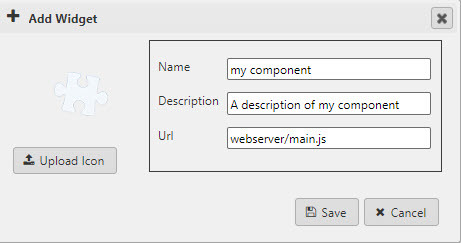
Parameter Definition NameEnter a name for the component. DescriptionA short description of the component. The limit is 33 characters. UrlThe webserver address hosting the component. Upload icon Upload an image file to use for the component in the listing.
The deployed component features at the end of the Component Listing for use in your dashboards.